 Aufi
With over 10 million downloads, Audify (Audify Read Aloud Web Browser) has long been a go-to tool for listeners who want to turn online articles, blog posts, and web pages into speech. But for avid readers of serialized web fiction, light novels, and fanfiction, Audify is rapidly showing its age.
If you regularly spend hours binge-reading on platforms like Royal Road, Wuxiaworld, Webnovel, or Archive of Our Own (AO3), you have likely run into Audify's major limitations: flat mechanical voices, lack of AI text smoothing, zero translation capabilities for foreign web fiction, and an outdated user interface.
In this guide, we evaluate the best Audify alternatives in 2026 that provide natural neural AI voices, seamless auto-advance across novel chapters, and distraction-free background listening.
Why Are Readers Seeking an Alternative to Audify?
While Audify pioneered basic in-browser text-to-speech, modern readers demand far more than a basic screen scraper. Here are the top pain points users report with Audify:
- Robotic Device Voices: Audify relies primarily on your phone's built-in system TTS engine. The speech sounds monotonous, stutters on punctuation, and butcher fictional character and place names.
- No Native Chapter Auto-Progression: Webnovels span hundreds or thousands of chapters. When a chapter ends, generic web TTS players often stop, forcing you to unlock your phone and manually find the next link.
- No Raw & Foreign Fiction Translation: Many of today's most gripping cultivation, LitRPG, and fantasy sagas originate in Chinese, Korean, or Japanese. Audify cannot translate raw chapters into polished English on the fly.
- Cluttered Web Interface: Pop-up ads, disclaimers, and sidebars on serialized novel sites frequently get read aloud by mistake, ruining the immersion.
The ideal Audify replacement must combine three pillars: natural neural speech that sounds like a professional audiobook narrator, intelligent content parsing that strips website ads, and effortless background listening with screen locked.
Top 5 Audify Alternatives Compared (2026)
1. Aufi — The Ultimate Webnovel & Read Aloud Reader
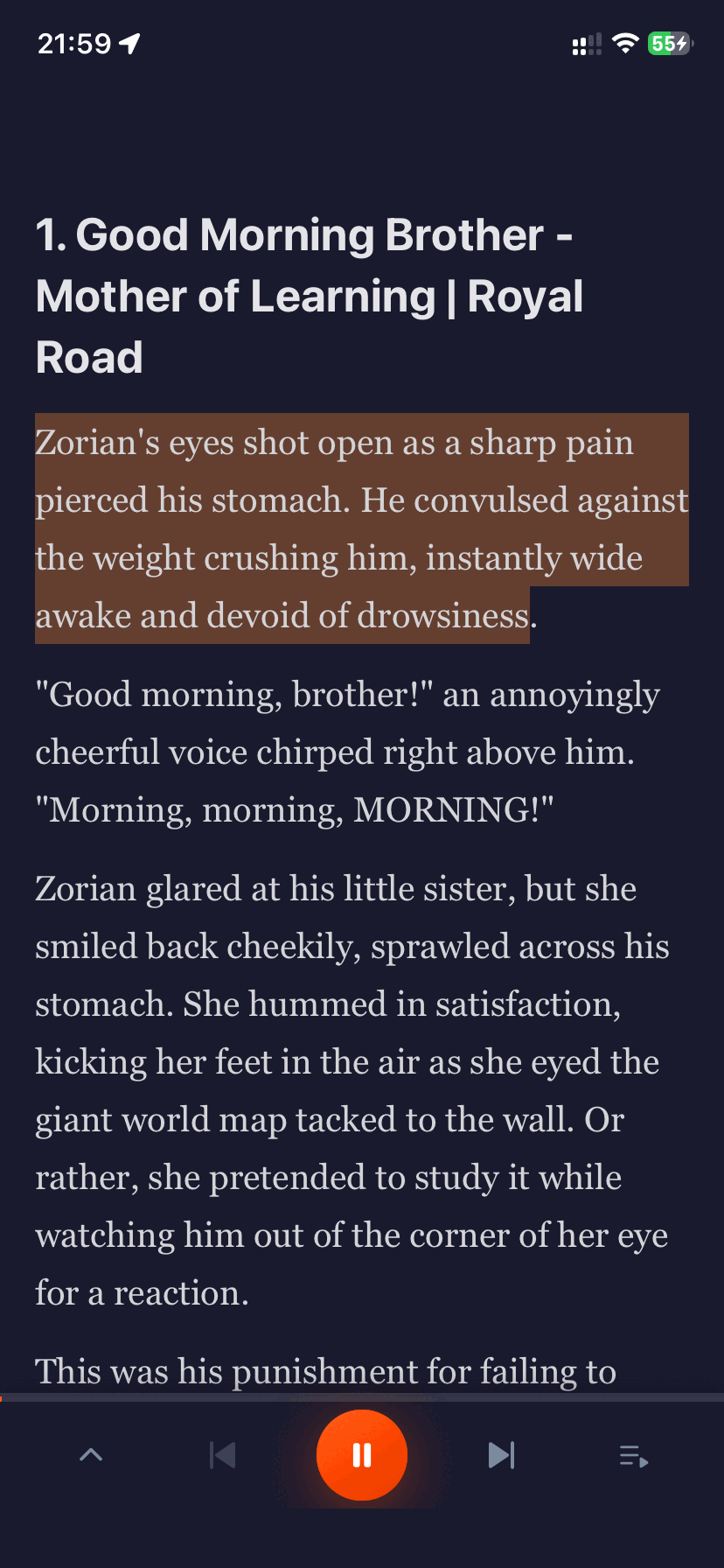
Aufi is purpose-built for readers who want to listen to online serials and EPUB books as high-end audiobooks. Rather than treating web pages as raw documents, Aufi features an intelligent web crawler that extracts pure chapter text, automatically recognizes chapter links, and streams continuous AI narration.
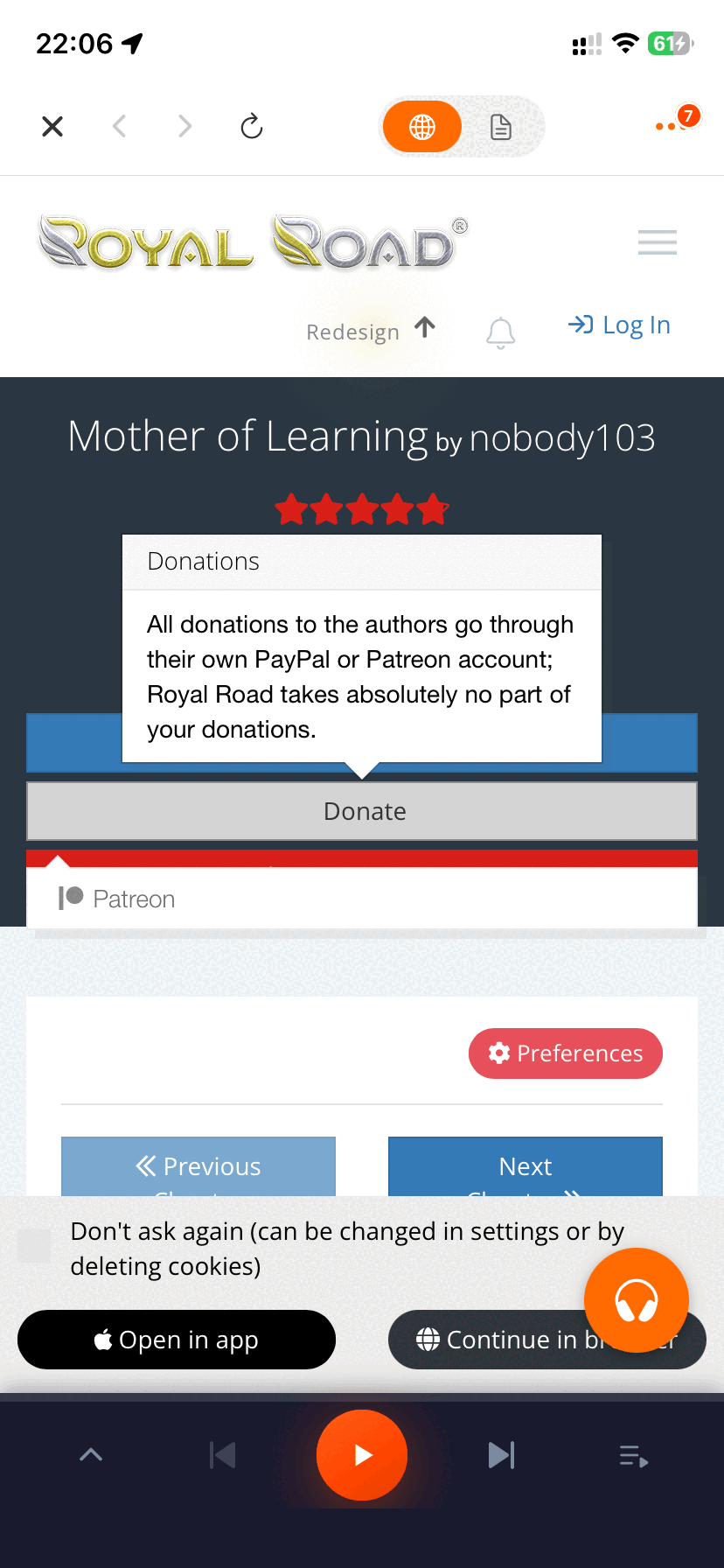
Key Highlights of Aufi:
- Lifelike Neural AI Voices: Choose from realistic narrators with expressive pacing, natural breathing pauses, and proper cadence.
- Zero-Touch Auto-Next Chapter: Automatically loads, cleans, and narrates subsequent chapters continuously without manual intervention.
- AI Translation & Smart Rewrite: Instantly translates raw foreign web fiction into fluid, readable English with consistent character terminology.
- Cross-Device Google Drive Sync: Keep your reading progress, bookmarks, and EPUB library synchronized between your computer and mobile phone.
- Bedtime Sleep Timer & Background Play: Keep listening with your screen turned off and set automatic sleep timers to preserve battery life.
2. ElevenReader (ElevenLabs)
Developed by ElevenLabs, ElevenReader brings world-class emotional voice models to mobile reading. It is great for short articles and uploaded PDFs.
Pros: Industry-leading vocal realism and emotional depth.
Cons: Lacks dedicated webnovel site parsing, does not automatically navigate chapter paginations on web fiction archives, and free daily listening characters are limited.
3. Speechify
Speechify is a heavyweight in the productivity space, designed for scanning textbooks, PDFs, and legal briefs.
Pros: Celebrity voices (like Snoop Dogg and Gwyneth Paltrow) and robust optical character recognition (OCR).
Cons: At $139/year, it is prohibitively expensive for casual fiction lovers, and its player is not optimized for serialized chapter transitions.
4. @Voice Aloud Reader
@Voice Aloud Reader by Hyperionics is one of the oldest and most customizable Android TTS readers available.
Pros: Extremely detailed customization settings, regex text replacement, and support for diverse file types.
Cons: A steep learning curve, an interface reminiscent of Android Gingerbread, and reliance on device TTS engines unless paired with complex third-party API keys.
5. NaturalReader
NaturalReader offers solid cross-platform text-to-speech for students and business professionals.
Pros: Clean desktop web app and reliable document upload features.
Cons: Webnovel scraping is clunky, high subscription pricing for premium neural voices, and limited offline listening features on free tiers.
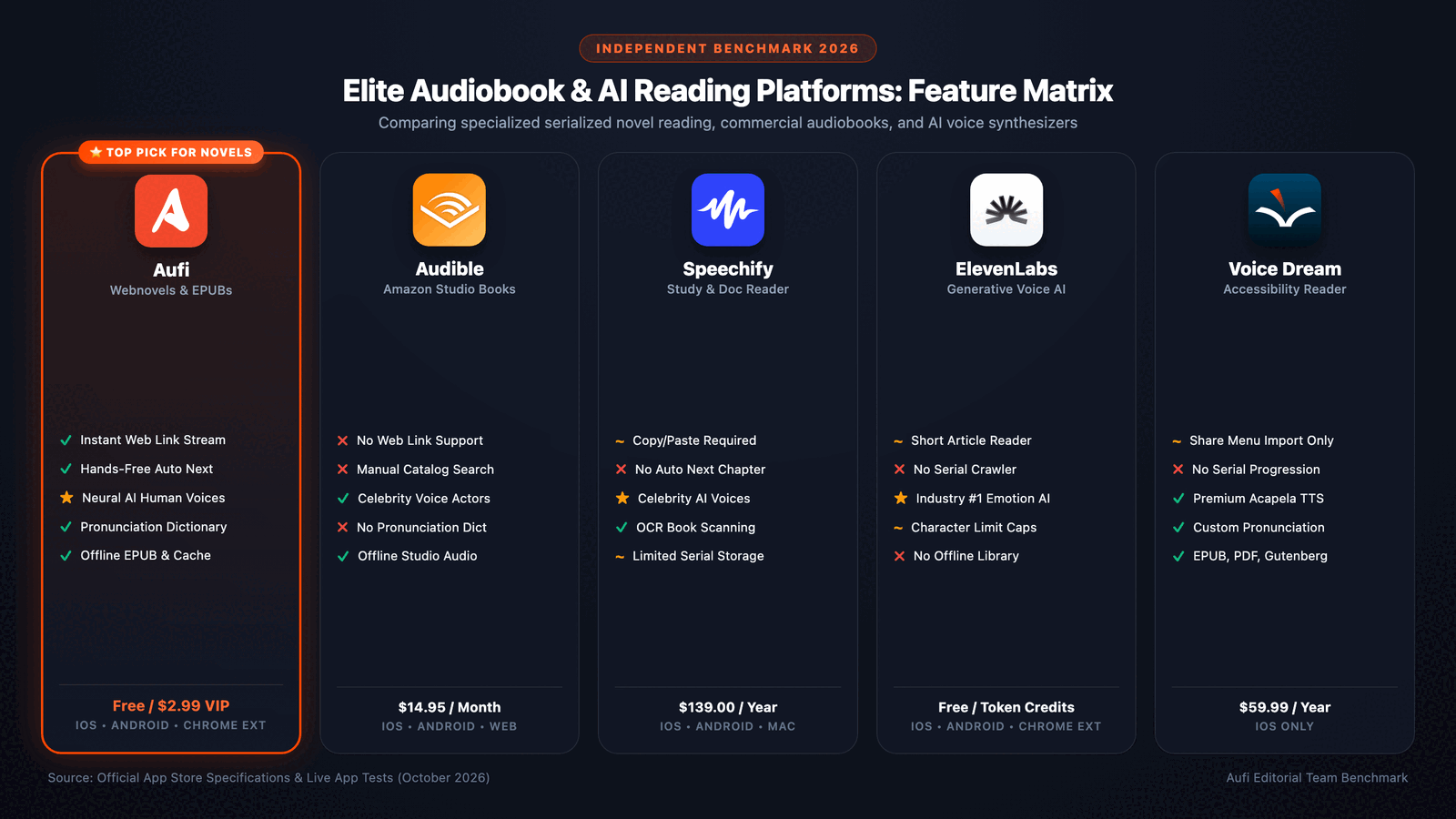
Feature Comparison: Aufi vs. Audify vs. Top Competitors
| Feature | Aufi | Audify | ElevenReader | Speechify |
|---|---|---|---|---|
| Primary Voice Quality | Neural AI Natural | Device TTS Robotic | Studio Neural | High-end Neural |
| Auto-Next Chapter (Web) | Yes (Seamless) | Manual Click | No | No |
| Ad & Junk Stripping | Yes (Automatic) | Basic | No | Yes |
| AI Raw Translation | Yes (Built-in) | No | No | No |
| Screen-off Background Play | Yes | Yes | Yes | Yes |
| Cross-Device Cloud Sync | Google Drive Free | No | Cloud Account | Proprietary Cloud |
| Pricing for Fiction | Free Tier (10h/mo) | Ad-Supported | Freemium | $139 / year |
How to Switch from Audify to Aufi in 3 Simple Steps
Step 1: Copy Any Webnovel or Article Link
Browse to your favorite serialized story on any website—such as Royal Road, Wuxiaworld, or a fanfiction archive. Simply copy the chapter link from your mobile browser or PC.
Step 2: Paste URL into Aufi & Pick Your Voice
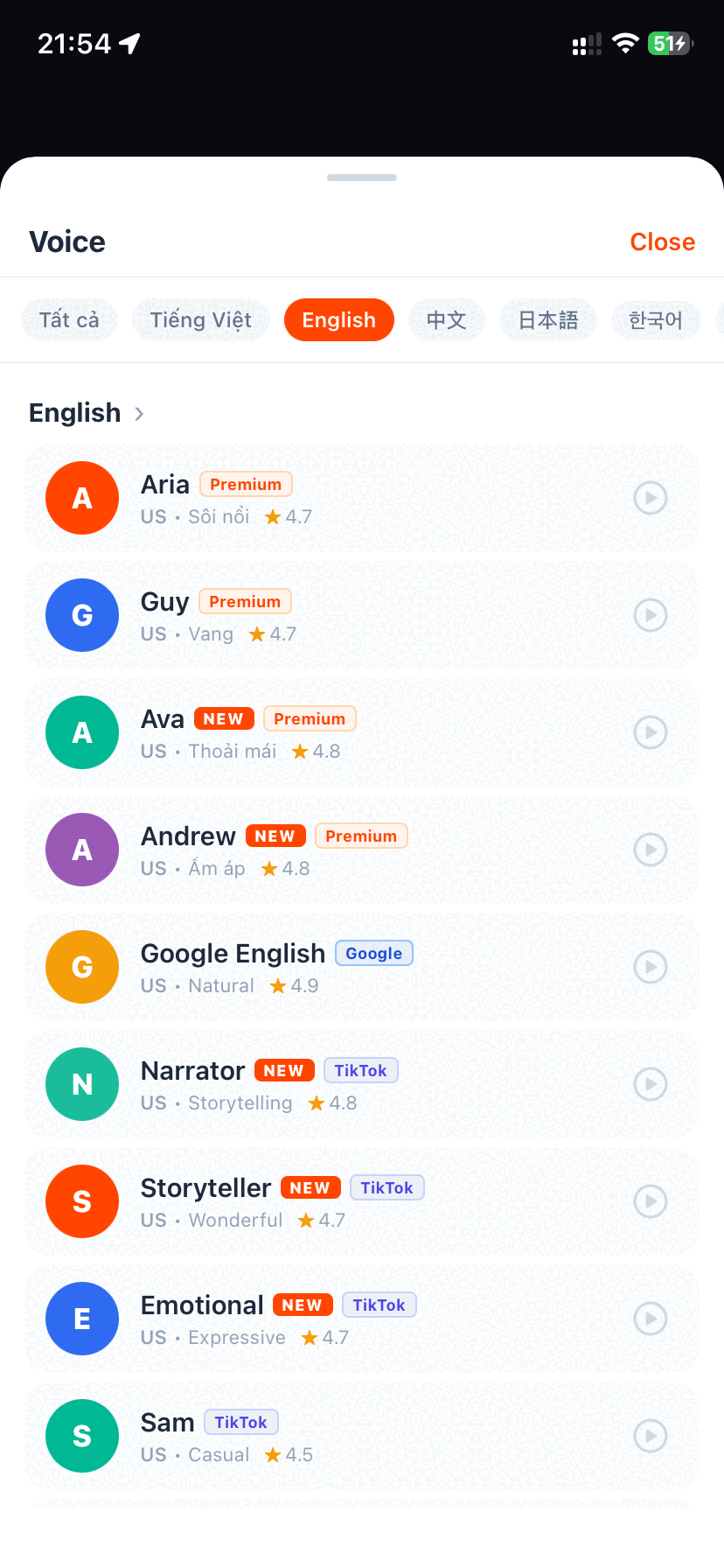
Open Aufi and paste the URL. Aufi instantly extracts the story text, filters out banner ads, and highlights the reading line. You can select your preferred narrator from a variety of natural male and female voices.
Step 3: Lock Your Screen & Enjoy Hands-Free Listening
Put your phone in your pocket or connect your Bluetooth headphones. Aufi continues playing continuously, auto-advancing to the next chapter as soon as the current one ends.
Experience Next-Generation Web Reading
Leave robotic speech behind. Download Aufi for free on Android and iOS, or install the Chrome Extension for seamless desktop reading.
Frequently Asked Questions
Does Aufi work with personal EPUB and PDF books?
Yes. In addition to web links, Aufi allows you to import offline EPUB, PDF, and TXT files directly from your phone's storage or your Google Drive account.
Can I adjust the narration speed without distortion?
Absolutely. Aufi provides granular playback speed adjustment from 0.5x up to 4.0x while maintaining pitch clarity and vocal naturalness.
How does the pronunciation replacement dictionary work?
If a fictional name or unique acronym is mispronounced, you can add a custom rule in Aufi's dictionary (e.g., replacing "Cultivator" with a phonetic respelling). The AI narrator will immediately adopt your preferred pronunciation across all future chapters.