 Aufi
Aufi
If you binge-read serialized web novels, Xianxia, Wuxia, LitRPG, or Progression Fantasy online, you already know the physical toll: severe eye strain, headaches after reading 50 chapters on a bright mobile screen, and having to put your stories away when driving, cooking, or working out.
Many readers turn to text-to-speech (TTS) as a solution. However, traditional browser extensions and official app TTS systems often leave readers frustrated. Here is why standard TTS fails for webnovel readers, and how to enjoy a seamless, human-like audiobook experience instead.
The Big Problems with Built-in Webnovel TTS
If you have ever searched Google for "webnovel tts not working" or "webnovel tts network issue", you are far from alone. Fiction enthusiasts routinely encounter three critical roadblocks:
- Monotonic Robot Narration: Standard system TTS voices sound robotic, mispronouncing fantasy names and lacking emotional cadence or dramatic pauses.
- Network Drops and Sudden Pauses: Cloud-reliant TTS players frequently buffer mid-sentence or lose synchronization when transitioning between mobile networks.
- Manual Page Tapping: Typical browser readers stop at the bottom of chapter 42. You have to unlock your phone, dismiss ads, and manually click "Next Chapter" every 5 minutes.
A true webnovel audio reader must do three things flawlessly: strip distracting website ads, auto-advance to the next chapter seamlessly, and narrate in voices that sound like a real audiobook voice actor.
How Aufi Solves Webnovel TTS
Aufi was engineered specifically for webnovel and light novel readers. Instead of locking you into a proprietary walled garden with expensive coin paywalls, Aufi turns any online novel website or chapter link into a natural AI audiobook in seconds.
1. Paste Any Specific Chapter URL & Enjoy Ad-Free Listening
Rather than copying and pasting thousands of words manually, Aufi lets you paste the direct URL of any novel chapter. For instance, you can grab a specific chapter link from popular platforms like RoyalRoad, Wuxiaworld, or serialized fiction archives:
Instead of entering a generic website domain, paste the exact chapter URL—such as https://www.royalroad.com/fiction/21220/mother-of-learning/chapter/301778/1-good-morning-brother. Aufi instantly parses the title, extracts clean chapter text, and prepares speech playback.

2. Distraction-Free Clean Reader & Auto-Advance
Once you tap "Go →", Aufi's content engine strips away navigation bars, patron banners, and pop-up advertisements. You are presented with a clean reader mode featuring real-time playback controls, sentence highlighting, and seamless auto-progression to the next chapter.
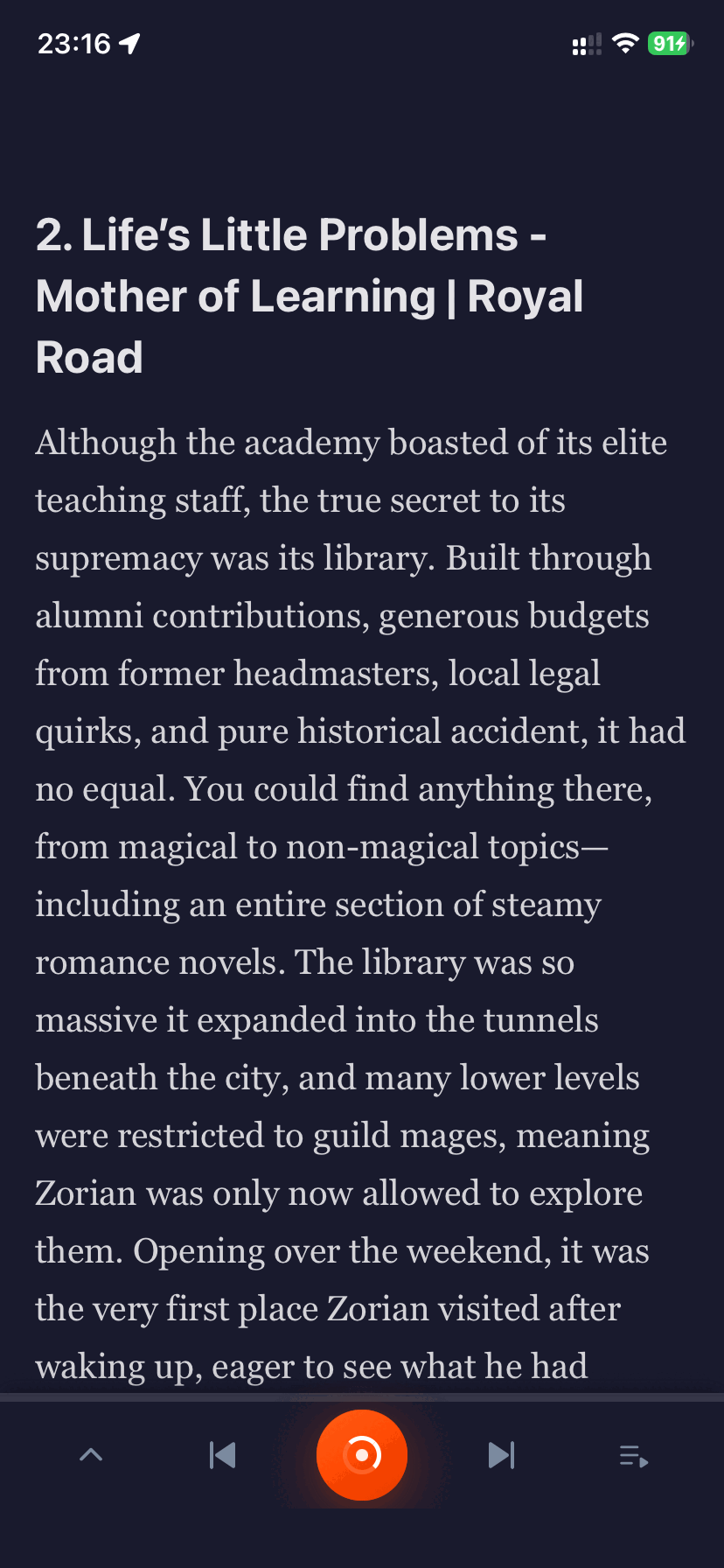
3. High-Definition AI Voices & Speed Controls
Aufi integrates state-of-the-art neural speech synthesis offering realistic pacing, emotional depth, and natural breathing pauses. Expand the audio player to fine-tune playback speeds from 0.75x up to 3.0x, choose narrator voices (like Ava or Guy), and track progress.
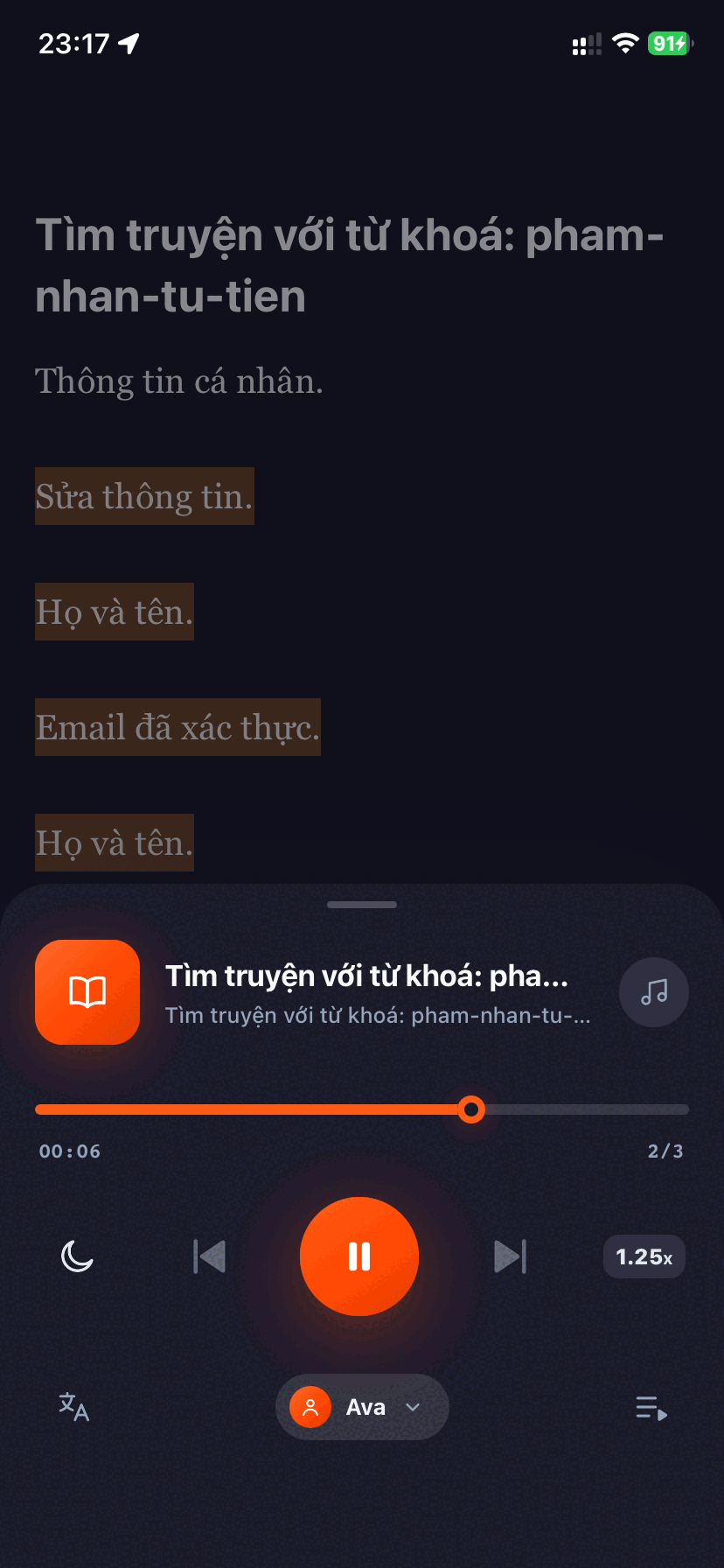
4. Bedtime Sleep Timer & Screen-Off Background Play
Set a sleep timer for 15, 30, or 60 minutes and drift off to sleep without worrying about draining your device battery. Aufi continues playing smoothly with your screen locked and supports Bluetooth headphone controls.
Ready to Turn Your Webnovels into Audiobooks?
Download Aufi for free on Android, iOS, or install the Chrome Extension for desktop reading.
Pro Tip: Custom Pronunciation Dictionary
Fantasy and cultivation novels are packed with unique terms like Qi, Dantian, or fictional character names. Aufi includes a custom word replacement dictionary that lets you define exact phonetics, ensuring the AI narrator pronounces your favorite world lore with 100% accuracy.
Conclusion
You no longer have to endure eye fatigue or clunky, buggy TTS players to keep up with your daily reading list. With Aufi, your favorite web novels and light novels are always ready to listen aloud, wherever you go.