 Aufi
Reading 50 to 100 chapters of web serials, LitRPG, or machine-translated (MTL) fiction on your phone comes with severe consequences: blurred vision, dry eyes at 1:00 AM, and thumb fatigue from constant scrolling. Even worse, you are forced to stop reading whenever you need to commute, prepare dinner, or exercise.
While standard mobile browsers (like Chrome or Safari) offer basic text-to-speech features, they fail miserably for long-form serialized reading. They read aloud irrelevant webpage junk—such as cookie pop-ups, sidebar menus, and flashing ads—sound like a robotic GPS navigator from 2005, and instantly cut off speech the second your device screen turns off.
In this comprehensive guide, we will walk you through exactly how to turn any webnovel website or online article into a continuous, human-like audiobook using Aufi—hands-free, ad-free, and with seamless chapter auto-progression.
You should never have to manually copy and paste 3,000 words into a text box, pay $139/year for Speechify word limits, or unlock your phone every 5 minutes just to tap "Next Chapter".
Step 1: Open Your Webnovel or Paste the Direct Chapter Link
You do not need to download shady EPUB conversions or install dozens of messy browser scripts. With Aufi, you have two frictionless ways to load any online chapter:
Paste Any Specific Chapter URL
Navigate to your favorite fiction platform in your normal mobile browser—such as Royal Road, WTR-Lab, EmpireNovel, Wuxiaworld, Archive of Our Own (AO3), or Wattpad. Copy the URL of the exact chapter you are reading.
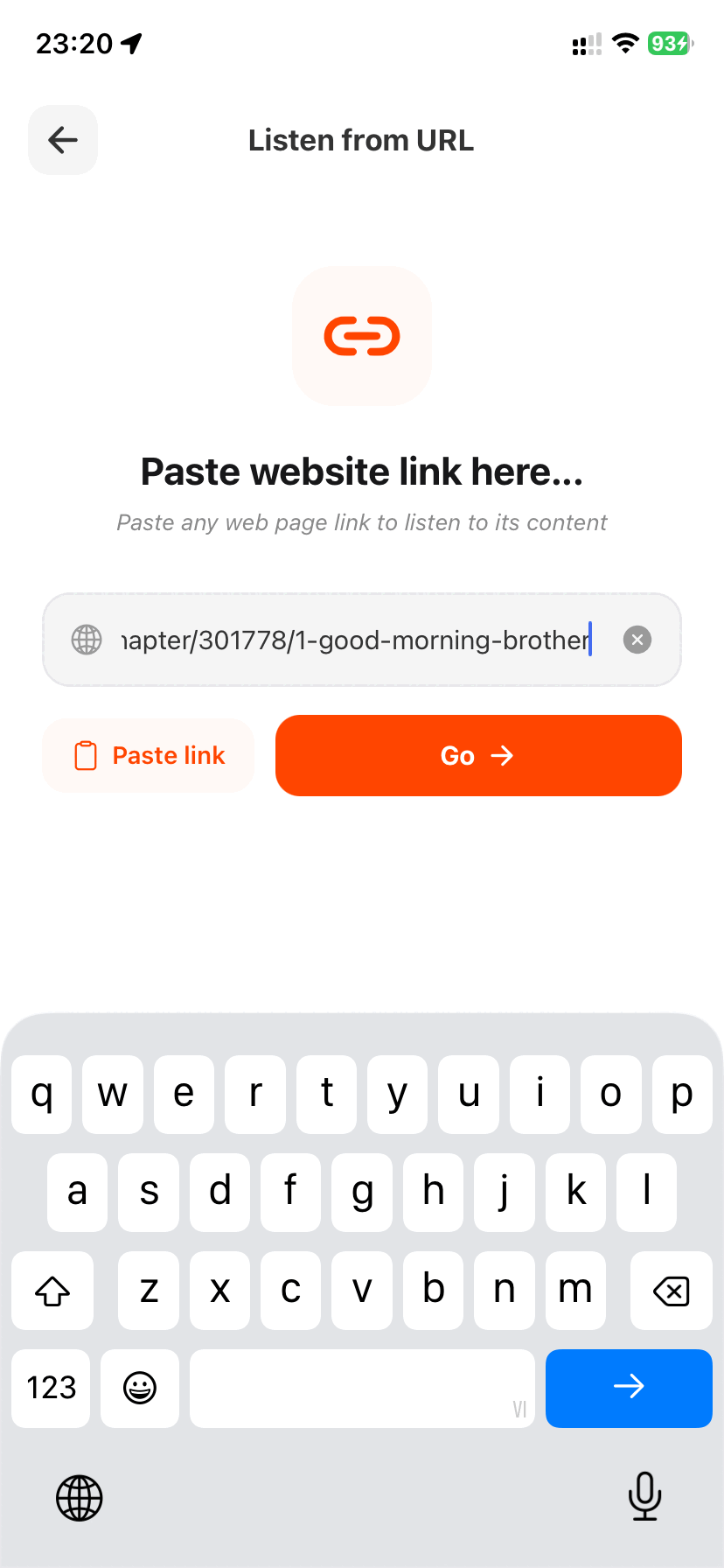
Open Aufi and tap the "Listen from URL" button on your dashboard. Paste your copied link and tap "Go →".
Example Direct Chapter Link:
https://www.royalroad.com/fiction/21220/mother-of-learning/chapter/301778/1-good-morning-brother
Browse Directly with the Built-in Web Explorer
Prefer browsing directly inside the app? Simply type the webnovel directory name (e.g. wtr-lab.com or royalroad.com) into Aufi's built-in address bar. You can log into your reader account, bookmark ongoing fiction series, and start audio playback with one tap on the floating play button.
Step 2: Instant Ad-Stripping & Distraction-Free Reader Mode
Web fiction websites are notoriously packed with invasive banner ads, aggressive sticky footers, and Discord invite widgets. Traditional TTS tools attempt to read every single footer link and sponsor notice out loud, completely breaking your story immersion.
The moment you load a chapter URL, Aufi's content extraction engine immediately filters out all non-story noise:
- Strips out third-party banners, Patreon donation reminders, and comments.
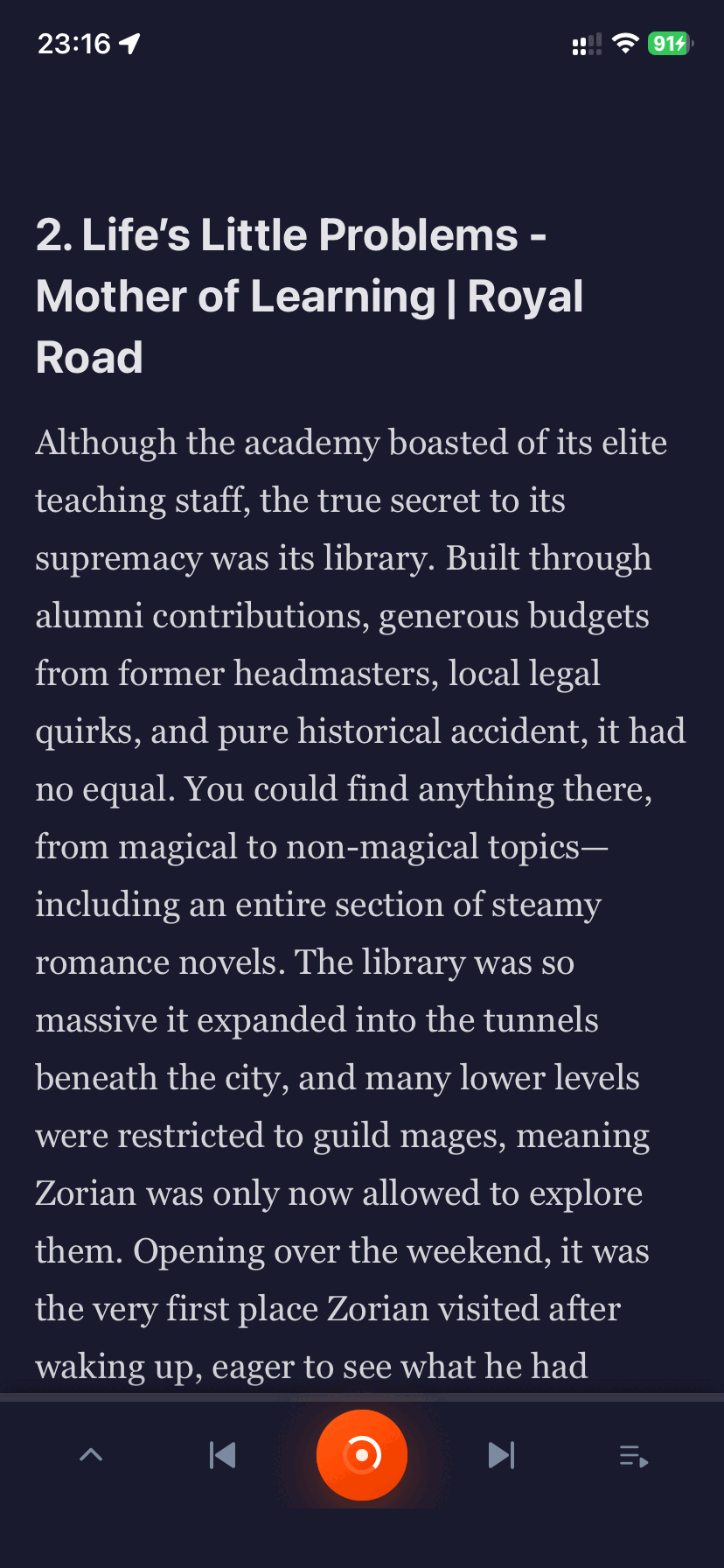
- Extracts the clean title, author name, and raw narrative body text.
- Activates a soothing, reader-friendly interface with synchronized sentence highlighting so you can follow along visually whenever your eyes are on the screen.
Step 3: Choose Ultra-Realistic AI Voices & Fine-Tune Speed
Monotone robotic voices are the #1 reason readers abandon text-to-speech. Aufi connects directly to state-of-the-art neural speech engines that deliver natural breathing pauses, emotional inflection, and distinct character dialogues.
Configuring Your Narrator in 3 Seconds:
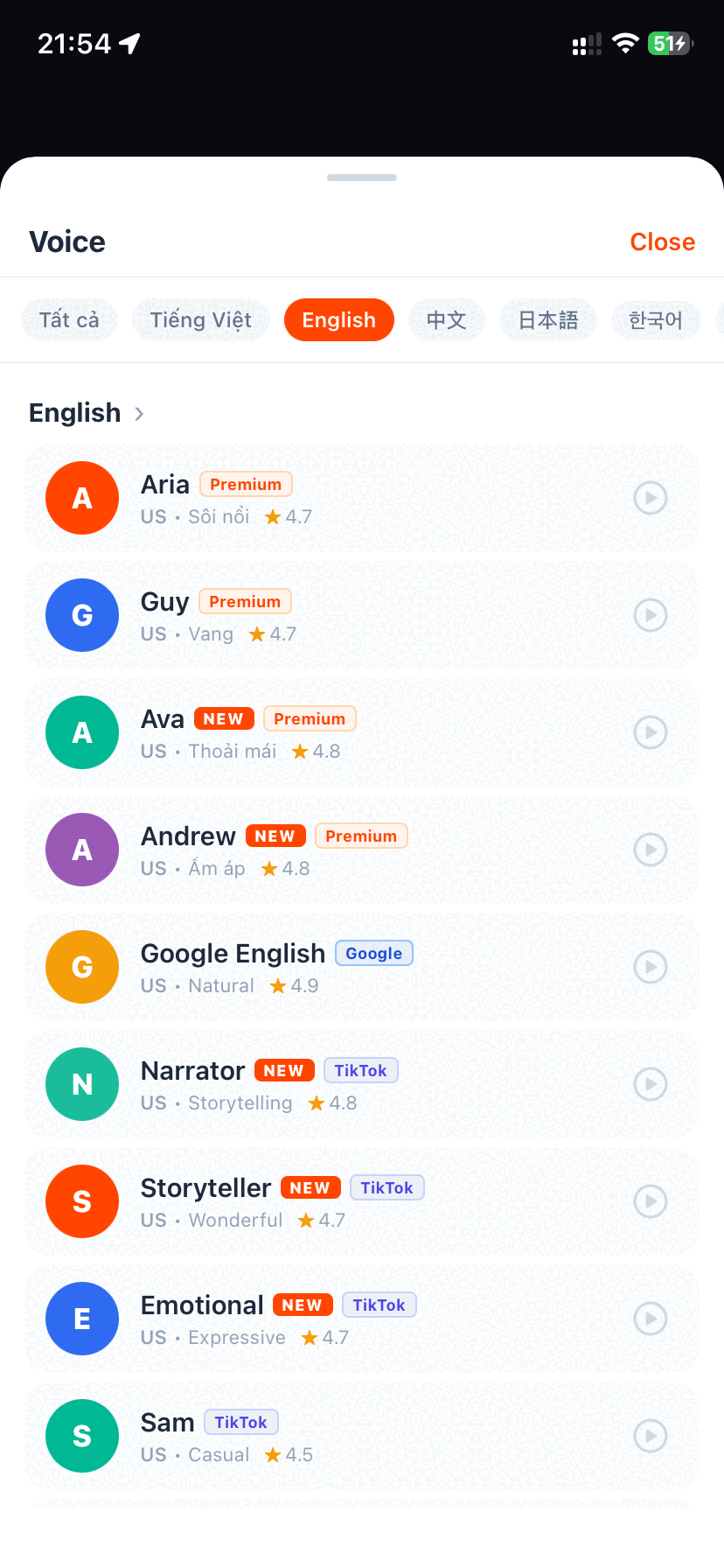
- Tap the Voice Selector icon on the bottom playback bar.
- Select your preferred English voice actor:
- Ava (English - US): Our community's #1 favorite voice for serialized fantasy and webnovels—energetic, warm, and highly expressive.
- Guy (English - US): Deep, resonant, and cinematic—ideal for dark fantasy, progression sci-fi, and litRPG.
- Jenny (English - US): Calm, melodic, and crisp—perfect for romantic webnovels and slice-of-life fiction.
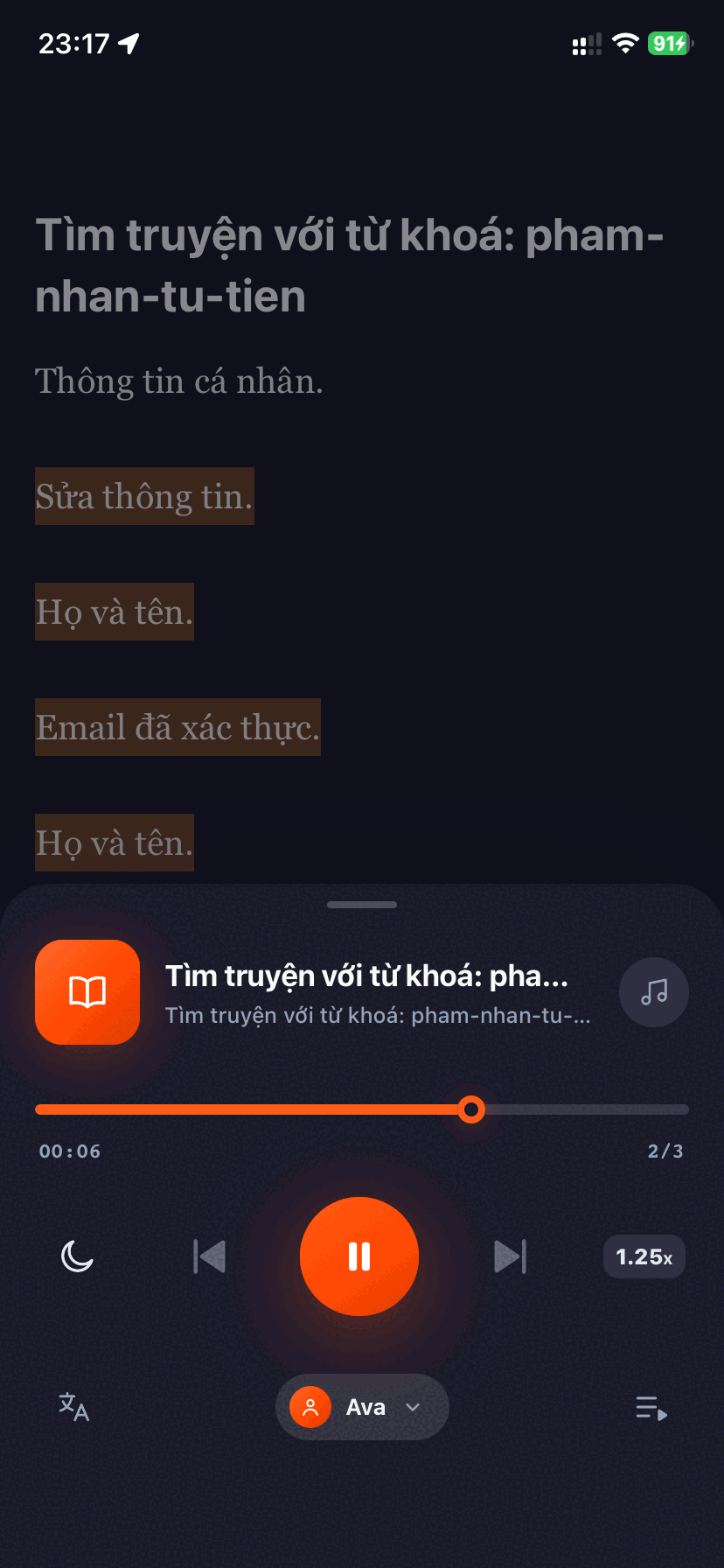
- Adjust playback speed: Use the granular slider to set your listening tempo anywhere from 0.75x up to 3.0x. The audio pitch remains perfectly natural without turning into high-pitched chipmunk squeaks.
Step 4: Enable Hands-Free "Auto-Advance" to Next Chapter
This is where standard browser readers fail and where Aufi truly shines. A typical webnovel has between 500 and 3,000 chapters, with each chapter taking approximately 6 to 10 minutes to read aloud. If your TTS app stops at the end of every chapter, it is completely useless while driving on the highway or working out at the gym.
Aufi features an intelligent Auto-Advance Engine:
- Automatically detects pagination selectors (such as
Next Chapter →orrel="next") across hundreds of webnovel domains. - Pre-fetches the subsequent chapter in the background 30 seconds before your current audio finishes.
- Transitions speech to the next chapter with zero delay or awkward buffer silence.
- Updates the in-app Table of Contents (TOC) so you can review previous chapters or jump ahead at any time.
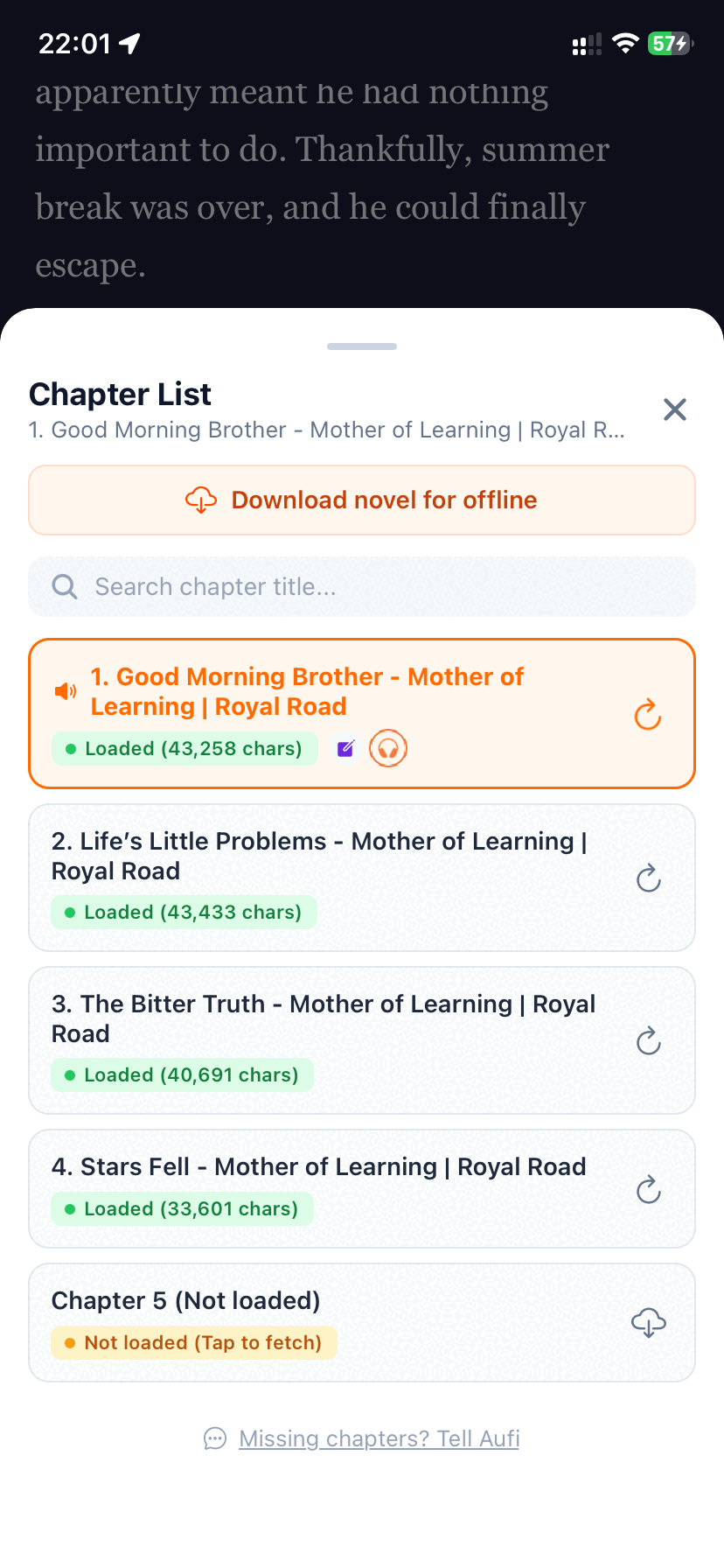
Step 5: Lock Your Screen & Set a Bedtime Sleep Timer
Leaving your mobile screen illuminated for 5 hours while listening to audio will drain your device battery and cause screen burn-in. Aufi is built from the ground up for true background playback:
Lock Screen & Sleep Timer Setup:
- Lock Screen Media Controls: Lock your iPhone or Android device and slip it into your pocket. The audio continues playing smoothly. You can pause, resume, or skip chapters directly from your lock screen or Bluetooth headphones (AirPods, Galaxy Buds).
- Intelligent Sleep Timer: Listening in bed before sleep? Tap the Moon icon and select 15 min, 30 min, 45 min, 60 min, or "End of Current Chapter". The audio gently fades out so you never lose your place in a 1,000-chapter epic.
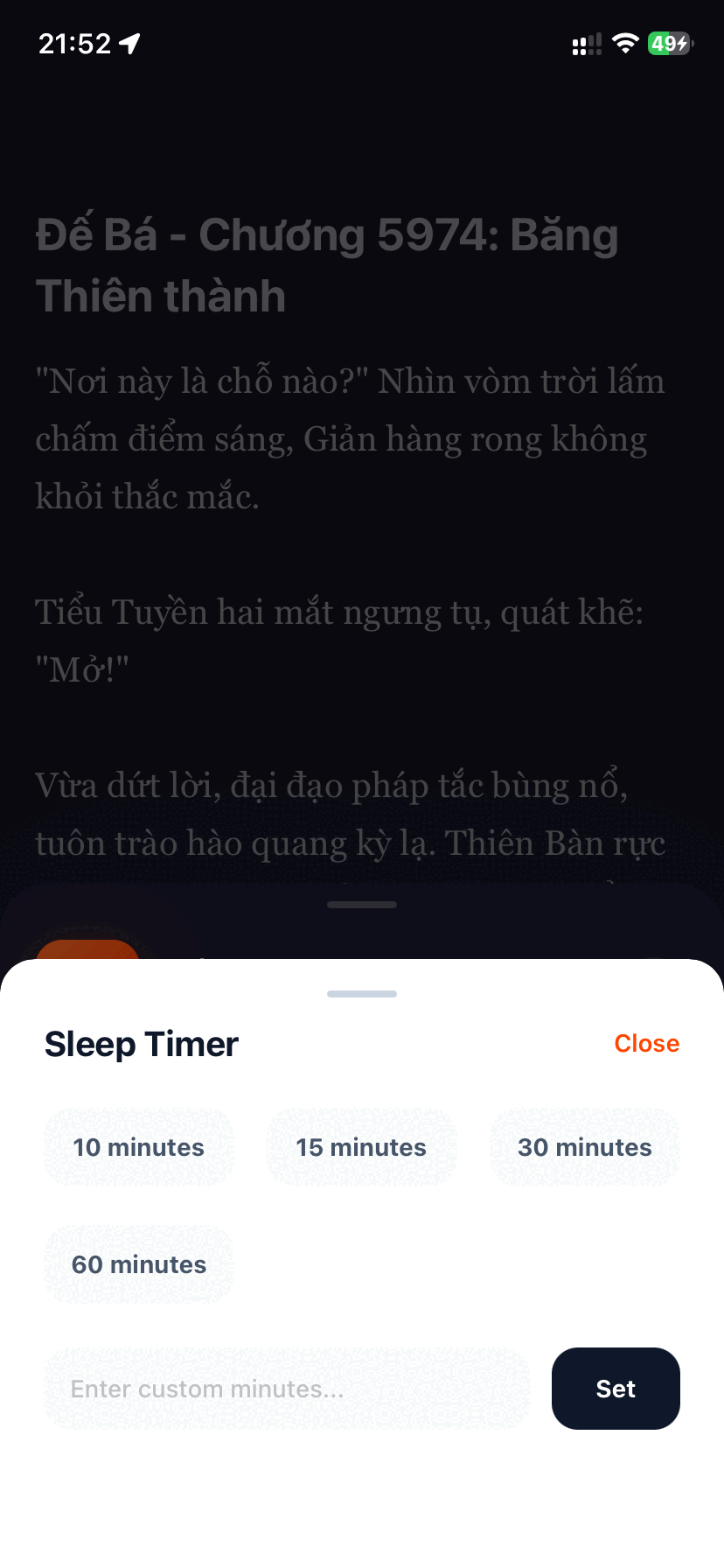
Step 6: Master the Custom Pronunciation Dictionary for MTL Lore
If you read Eastern fantasy, Xianxia, Wuxia, or machine-translated (MTL) novels, you know that standard TTS engines routinely butcher lore terms. They say "Q-eye" instead of "Chee" for Qi, and mangle character names beyond recognition.
Go to Settings → Pronunciation Dictionary in Aufi. Add simple text replacement rules to correct mispronunciations automatically before the text reaches the speech engine:
Qi→ replace withCheeDantian→ replace withDan-tienXianxia→ replace withShe-an-shaCultivator→ replace withCult-i-vay-tor
Once configured, every chapter across your entire reading library will speak the terms correctly!
How Aufi Compares to Other Website Readers
Here is a direct breakdown of how reading aloud websites with Aufi compares to generic browser tools and expensive mainstream TTS apps:
| Feature | Aufi | Chrome / Safari Read Aloud | Speechify | Audify |
|---|---|---|---|---|
| Auto-Advance Chapters | ✅ Yes (Hands-free) | ❌ No (Stops at end of page) | ❌ No (Manual next) | ⚠️ Buggy / Inconsistent |
| Ad-Stripping Engine | ✅ Automatic clean reader | ❌ Reads webpage junk | ✅ Clean reader | ❌ Cluttered browser |
| Voice Quality | ✅ Neural AI (Ava, Guy) | ❌ Monotone Robotic OS | ✅ Neural AI | ❌ System TTS (Robot) |
| Screen-Off Background Play | ✅ Yes (Lock screen controls) | ⚠️ Often pauses when locked | ✅ Yes | ✅ Yes |
| Pronunciation Dictionary | ✅ Yes (Custom MTL rules) | ❌ No | ❌ No | ❌ No |
| Pricing & Limits | Free / $14.99/year | Free (Robotic) | $139/year (Strict word caps) | $9.99/mo or Heavy Ads |
Frequently Asked Questions
Can I read aloud websites behind login accounts or paywalls?
Yes. By using Aufi's built-in web explorer, you can sign into your personal accounts on fiction websites (such as Royal Road, Wattpad, or ScribbleHub) and stream your unlocked chapters directly without restrictions.
Does Aufi consume a lot of mobile cellular data?
No. Aufi utilizes optimized lightweight audio streaming and aggressive client-side caching. Streaming one full chapter uses less than 1.5 megabytes of data, which is dramatically lighter than video streaming or podcast downloads.
Can I read offline without Wi-Fi?
Yes. Aufi supports offline text caching and local device TTS speech synthesis, allowing you to binge your favorite saved chapters on subway commutes, flights, or off-grid camping trips.
Start Reading Aloud Any Website in Seconds
Turn web serials, fanfiction, and online novels into immersive AI audiobooks. Download Aufi for Android, iOS, or install the Chrome Extension today.