 Aufi
Every anime season brings blockbuster announcements: brand-new fantasy series greenlit on Netflix, long-awaited continuations for Solo Leveling, Re:Zero, or Mushoku Tensei, and buzz around upcoming light novel adaptations. But as every passionate fan discovers, there is a painful reality behind anime production: the 2-to-3-year waiting cycle between seasons.
While an anime studio spends two years animating a 12-episode cour that covers only 3 light novel volumes, the original web serial or author's manuscript is often 15, 20, or even 30 volumes ahead. If you want to know what happens to the characters right after the season finale cliffhanger, you don't have to wait. You can binge the original light novels and web novels right now.
However, staring at tiny text on a bright phone screen for hours can cause severe digital eye fatigue and headaches. The modern solution embraced by hundreds of thousands of readers worldwide is listening to light novels as continuous AI audiobooks using neural text-to-speech (TTS).
Why Anime Fans Are Switching from Reading to Listening
Traditional light novel reading presents three distinct friction points that prevent busy fans from keeping up with their favorite stories:
- Massive volume length: A single season of an anime typically condenses 300,000 to 500,000 words. Reading that much raw text during commutes or after working all day on computer monitors leads to eye strain.
- Fragmented web chapters: Most popular series originate as Japanese web novels published on portals like Shousetsuka ni Narou or fan translation hubs like Wattpad, Baka-Tsuki, and Chikari Moe. These websites are broken into hundreds of bite-sized web pages filled with sidebars, comment sections, and banner ads.
- Robotic traditional screen readers: Standard system TTS engines built into older smartphones sound monotone, butcher Japanese honorifics (like -san, -kun, or senpai), and abruptly stop speaking the second you switch apps or turn off your screen.
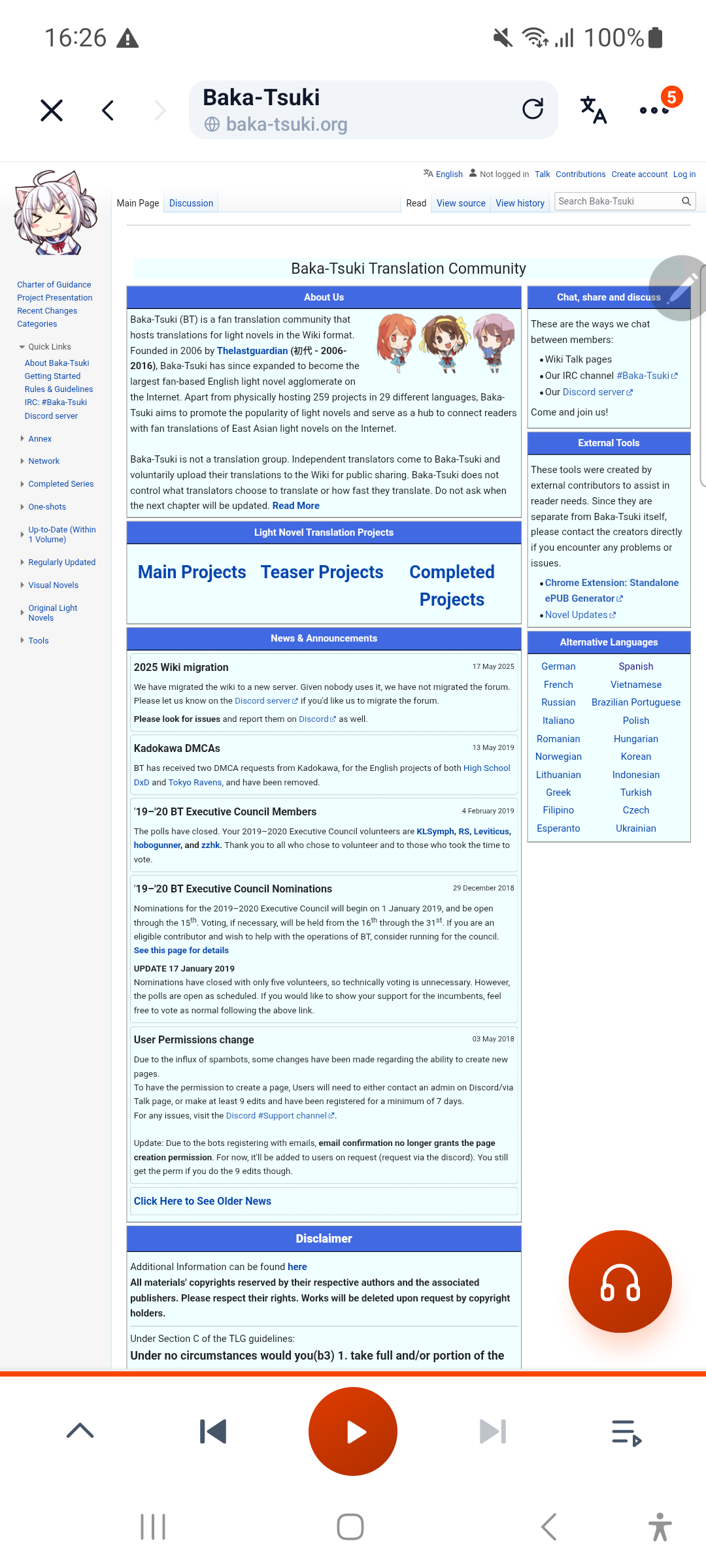
Step-by-Step: Turning Light Novel Web Pages into Seamless Audio
With Aufi, you can turn any online light novel or web novel chapter into a studio-quality AI audiobook in seconds. Here is the exact workflow:
1. Copy Any Chapter URL
Find the web novel chapter you want to continue after the anime ending. Copy the link from your browser. Aufi supports popular platforms including Wattpad, Chikari Moe, NovelArrow, NovelDex, and dozens of community web novel portals.
2. Automatic Content Cleansing & Ad Removal
When you paste the link into Aufi, the app's smart web parser isolates the actual story text. It strips away cookie banners, header navigations, sponsored links, and comment sections. You get pure narrative prose without robotic voices reading navigation buttons.
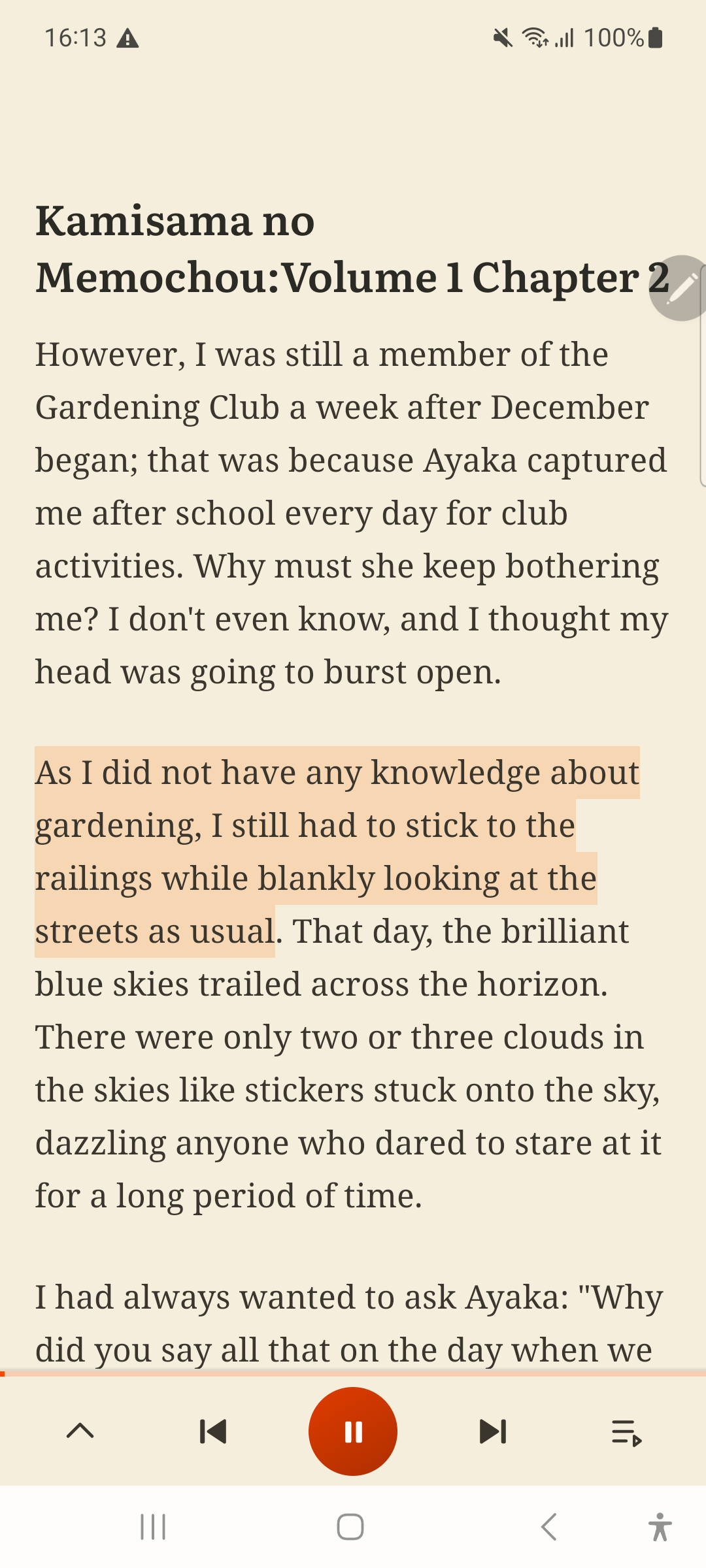
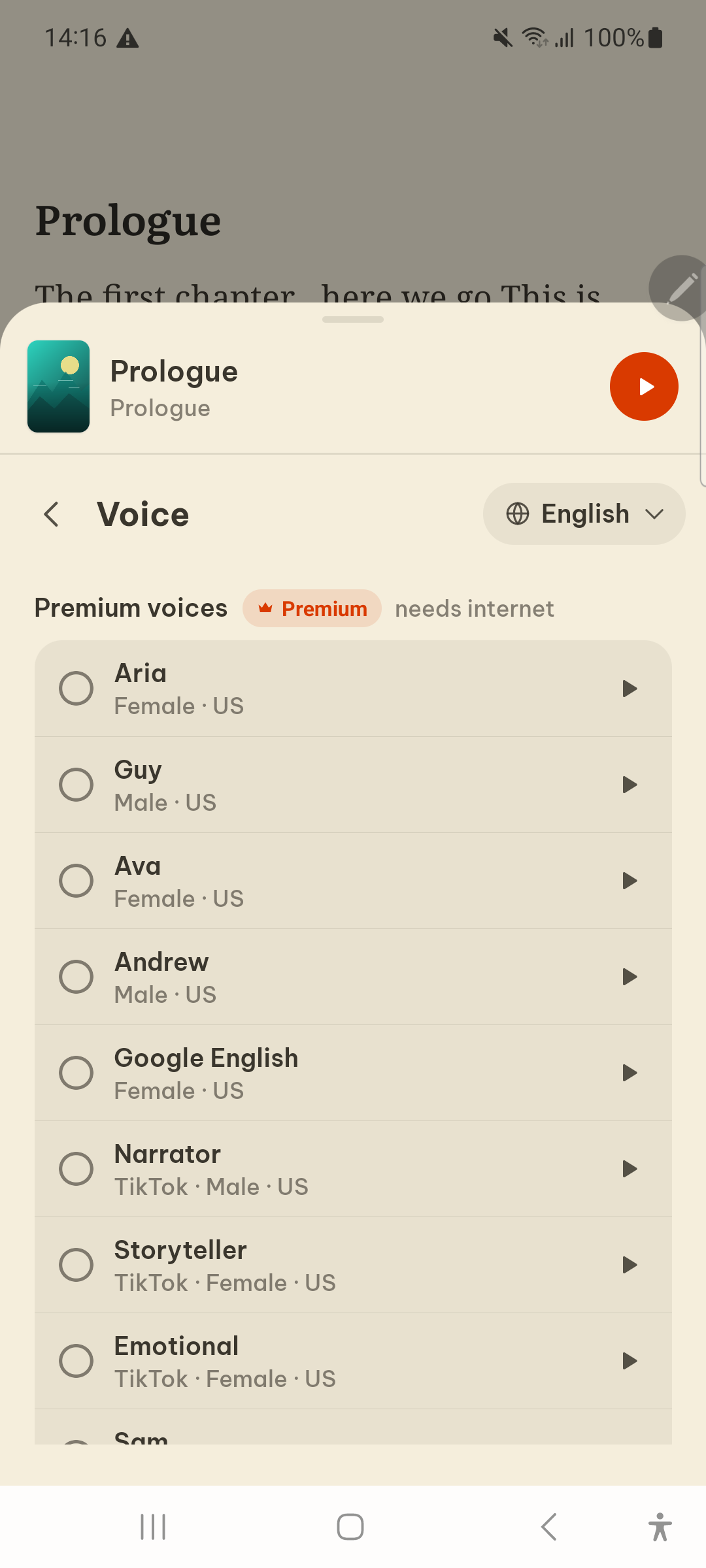
3. Choose Expressive, Human-Like Neural AI Voices
Gone are the days of mechanical, robotic voices. Aufi integrates high-definition neural voices that understand punctuation, dramatic pacing, and conversational dialogue. You can pick gentle female narrators, deep heroic male tones, or energetic storyteller voices tailored to action-packed fantasy scenes.
4. Hands-Free Auto-Next Chapter Advance
The biggest hurdle when listening while driving, walking the dog, or cooking dinner is reaching the end of a chapter. Standard audio tools stop and force you to unlock your phone. Aufi automatically crawls the "Next Chapter" link and seamlessly transitions to the next part without a single pause.
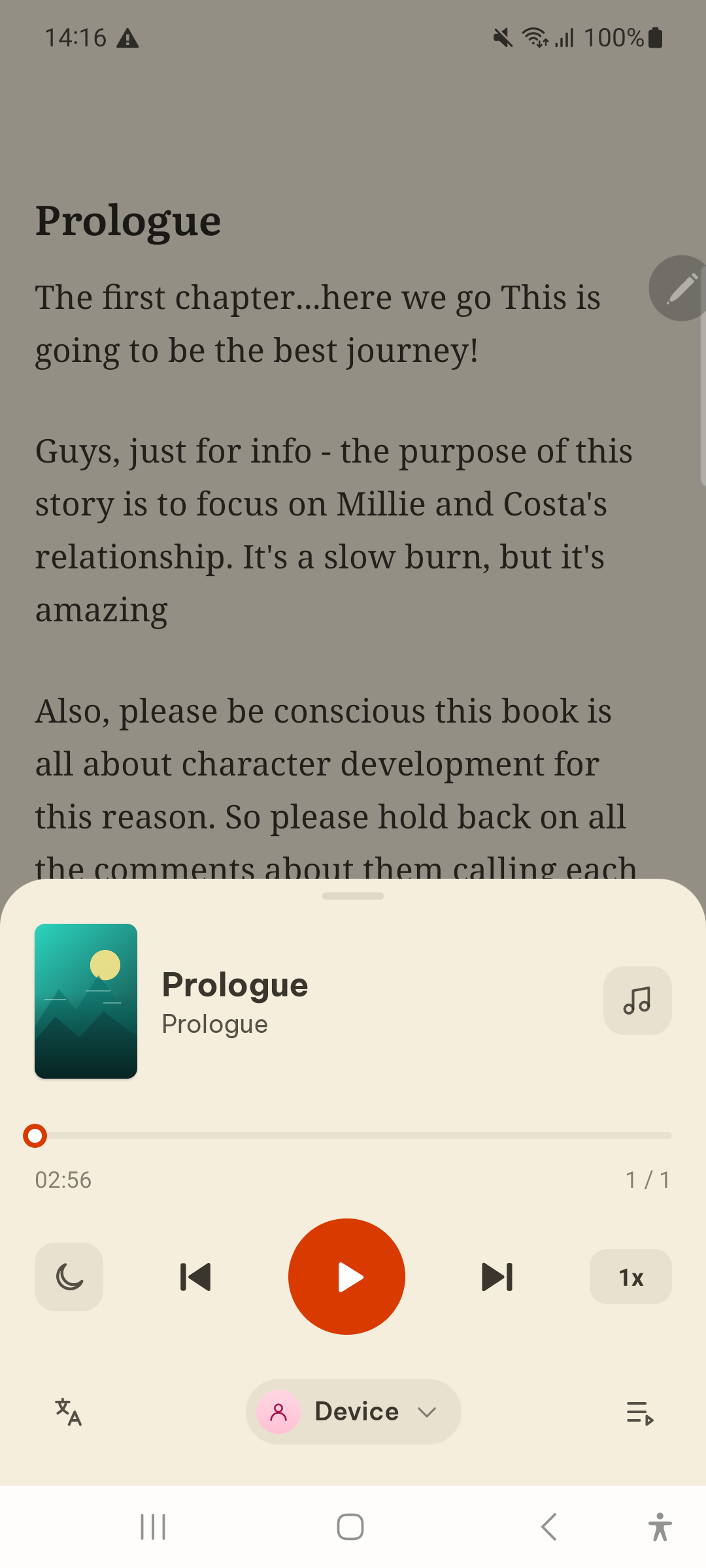
3 Pro Tips for Binging Light Novels with AI Audio
Average human reading speed is around 200–250 words per minute. Bumping Aufi's narration speed slightly to 1.25x or 1.35x matches your natural reading rhythm, letting you finish an entire 80,000-word light novel volume in just 4 to 5 hours of casual listening!
Listening to a relaxing fantasy light novel before bed is one of the best ways to wind down without blue light exposure. Set Aufi's sleep timer to 30 or 45 minutes—it will gently fade the narration out so your phone battery remains intact while you fall asleep.
Have official light novel digital files (EPUB or TXT)? Aufi lets you import your own books directly into your personal Library, keeping your web serial reading list and purchased ebooks together in one synchronized offline shelf.
Top Light Novels to Read Ahead of Anime Seasons in 2026
If you're wondering where to start, here are the most requested series by anime fans looking to stay ahead of future adaptations:
- Solo Leveling: Ragnarok: The official sequel following Sung Suho. The web serial has hundreds of chapters packed with dungeon raids and shadow monarch lore that won't appear in anime form for years.
- Omniscient Reader's Viewpoint (ORV): With anime and live-action adaptations in development, the original webnovel spans over 550 chapters of breathtaking meta-apocalyptic fiction.
- The Beginning After the End (TBATE): For fans of Western progression fantasy and anime aesthetics, TBATE's novel is leagues ahead of the comic and animated releases.
- Lord of the Mysteries: Ahead of its high-budget animated release, this 1,400-chapter Victorian-steampunk masterpiece is one of the most rewarding long-form audio binge experiences in existence.
Never Wait for Season 2 Again
Transform raw light novel web pages into continuous, realistic audiobooks. Download Aufi free on Android, iOS, or install the Chrome Extension.
Frequently Asked Questions
Can Aufi pronounce Japanese character names and honorifics correctly?
Yes. Aufi features a built-in custom phonetic dictionary. If an obscure name or title is pronounced awkwardly by default, you can define a custom phonetic replacement once, and Aufi will apply it automatically across all future chapters.
Does listening stop when I lock my phone screen?
No. Aufi is engineered specifically with a full background audio service. The narration continues flawlessly whether your screen is turned off or you are browsing other apps.
Is Aufi free to use for web novel chapters?
Yes. You can paste links from online web novel platforms and listen without paying coin paywalls or subscription tiers common in proprietary novel apps.