 Aufi
Kobo & Kindle EPUB Read Aloud App: Turn Your Digital Library Into Lifelike Audiobooks
Millions of readers love Kobo e-readers and Kindle libraries for daytime reading, yet hit a wall the moment they get in a car, step onto a commuter train, or dim the lights before sleep. Dedicated e-ink screens like Kobo Clara, Kobo Libra, and Kindle Paperwhite still lack fluent built-in read-aloud audio for personal EPUB files, and buying an extra studio audiobook copy for every title you already own gets expensive fast.
With Aufi, any DRM-free EPUB, PDF, or TXT book exported from Kobo, Smashwords, Humble Book Bundles, Standard Ebooks, or indie authors turns into a polished mobile audiobook on Android and iPhone—complete with natural AI voices, live sentence highlighting, offline chapter playlists, and a sleep timer.
Why Readers Need a Dedicated Kobo & Kindle EPUB Read-Aloud Companion
- Kobo lacks TTS for sideloaded EPUBs: Bluetooth audio on Kobo e-readers only plays paid Kobo Store audiobooks, leaving personal EPUBs silent.
- Built-in phone accessibility tools stop unpredictably: Generic OS screen readers struggle with dialogue cadence, read page numbers aloud, and cut off when apps sit idle in the background.
- No extra cost per book: Instead of spending 15 dollars a credit to re-buy books you already own digitally, Aufi reads your DRM-free files and free public editions smoothly.
Smart Formatting Powered by Google Gemini
When you import an EPUB file or paste a web essay from Wikisource or indie archives, Aufi keeps chapter markers intact while leveraging Google Gemini parsing intelligence to ensure headers and navigation links never interrupt immersive narration.
How to Listen to Kobo & DRM-Free EPUB Books in 3 Steps
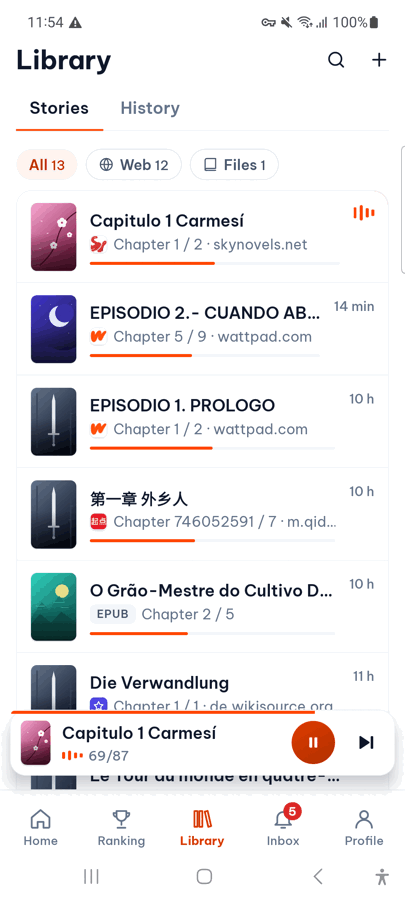
Save your DRM-free .epub ebook from your Kobo folder, Calibre library, Standard Ebooks, or Google Drive onto your phone, then tap Listen from File inside Aufi.
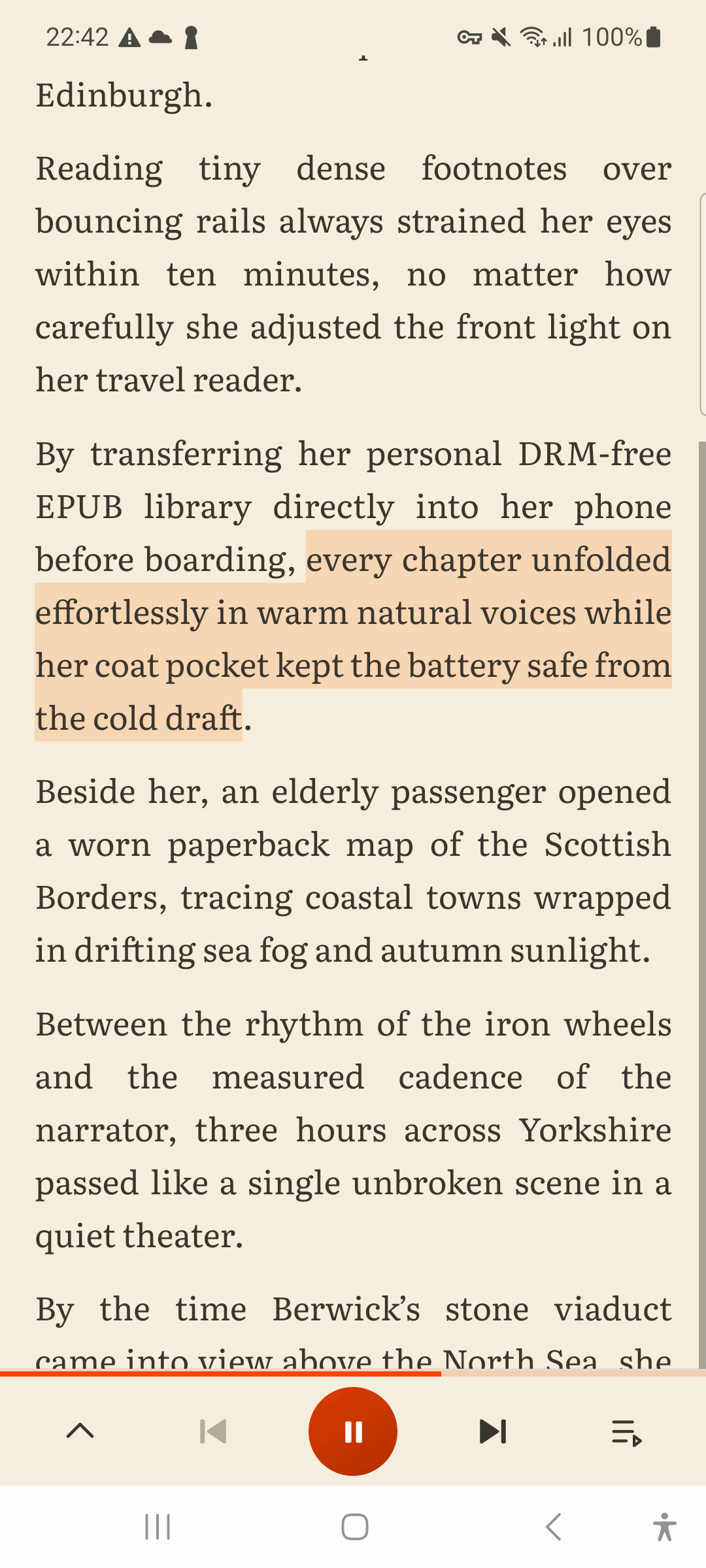
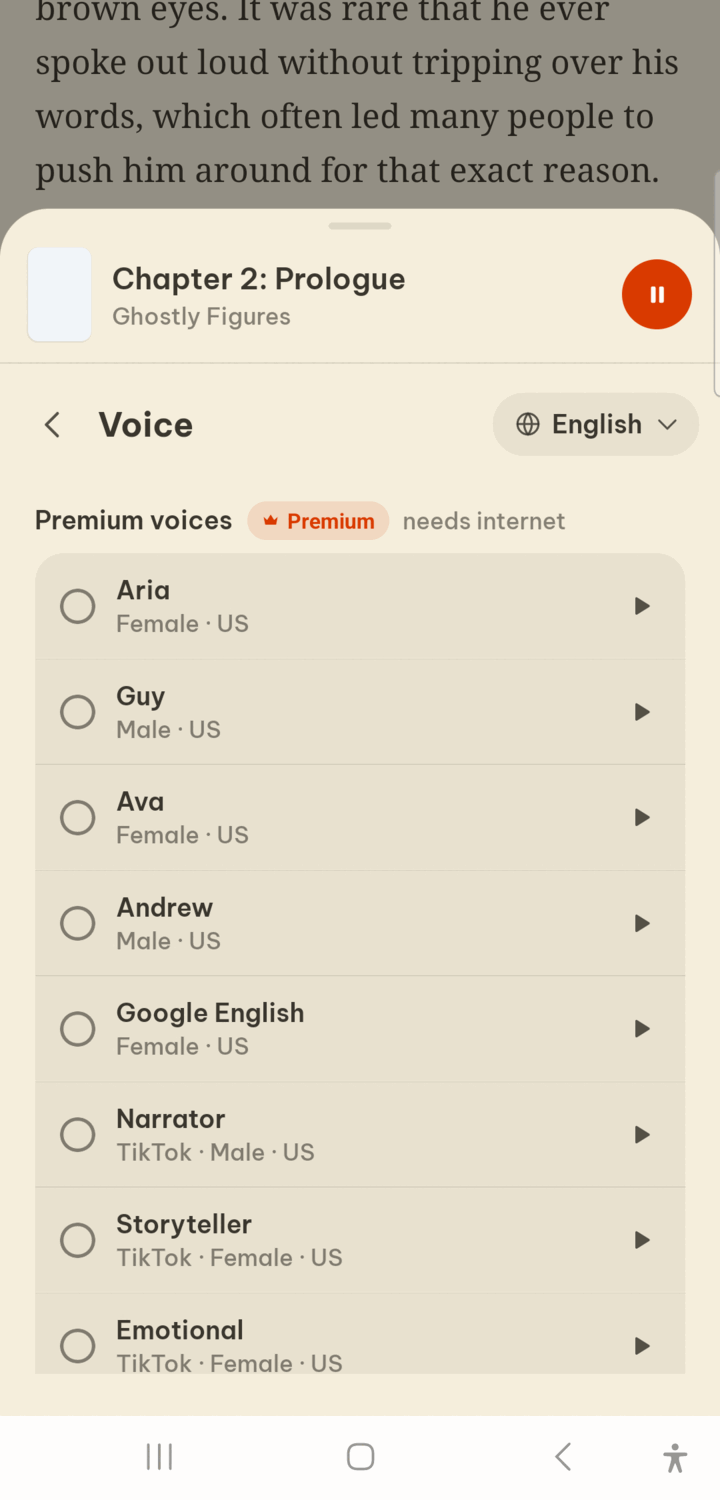
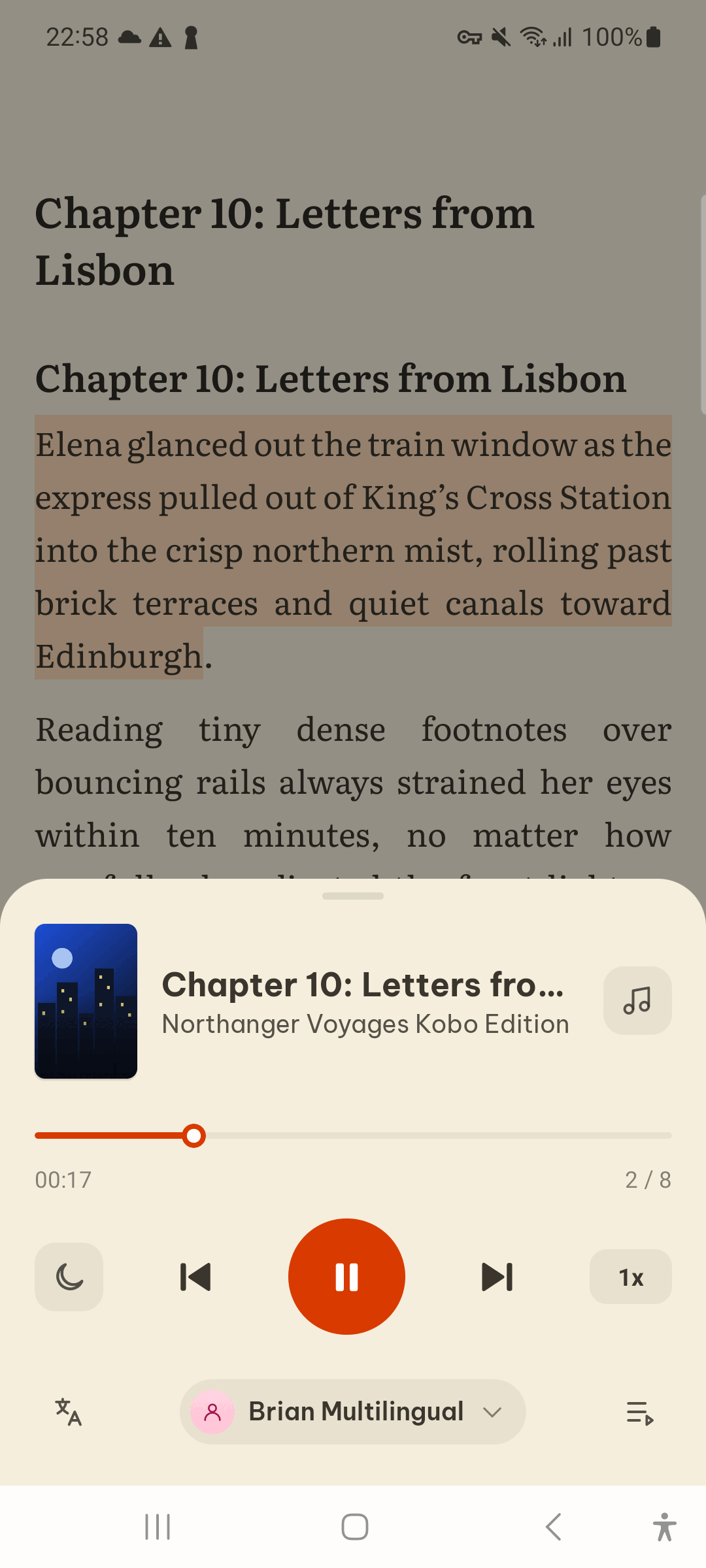
Your chapters open in a crisp, warm reader with synchronized sentence highlighting. Tap the voice selector to choose expressive US or UK English neural voices such as Aria, Guy, Ava, or Andrew.
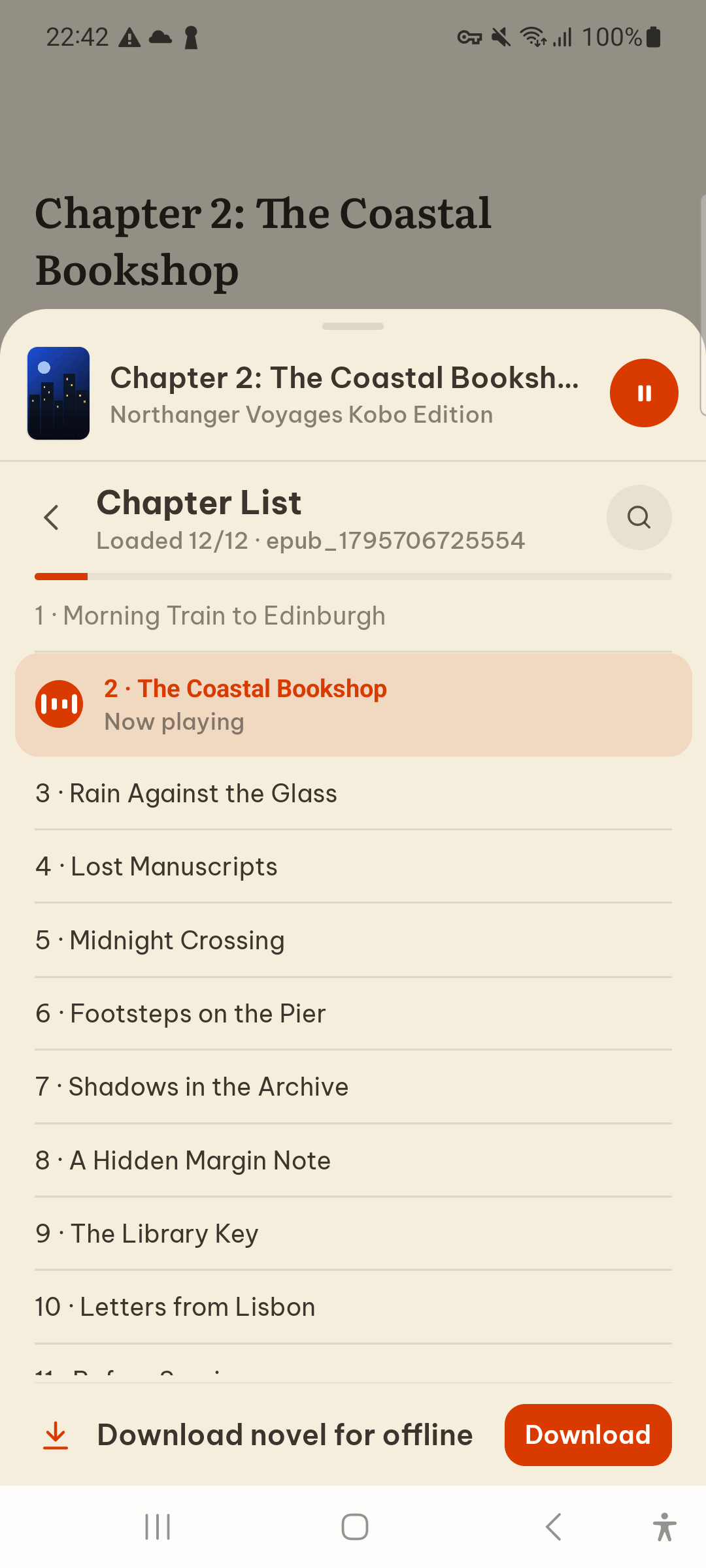
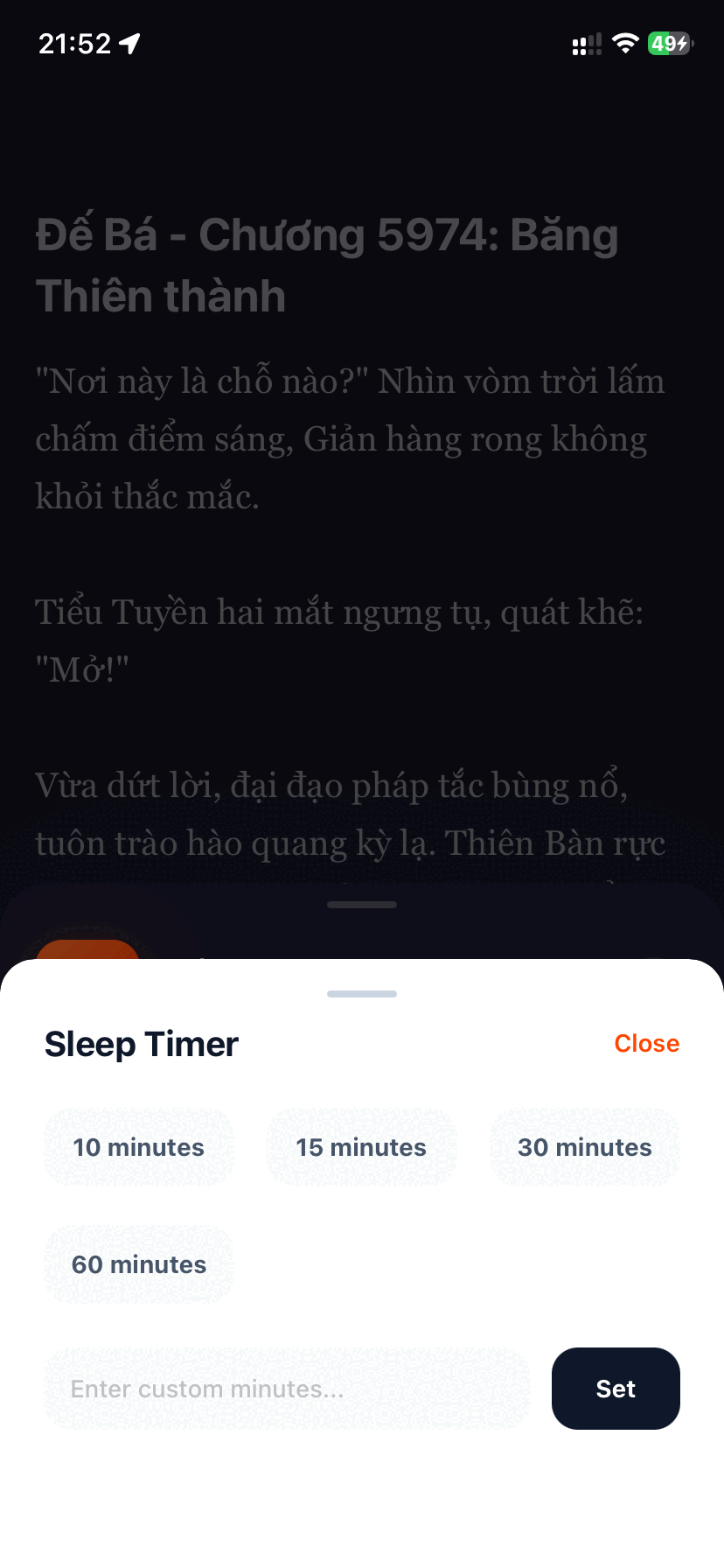
Browse the instant Chapter List playlist for offline flights or commutes, and tap the Sleep Timer moon icon to pause playback automatically after 10 to 60 minutes.
Kobo / Kindle Assistive Reader vs Audible vs Aufi
| Feature | Aufi (EPUB & AI Audio App) | Kobo E-reader / Kindle Ink | Audible |
|---|---|---|---|
| Reads Personal DRM-Free EPUBs | Yes, native EPUB/PDF/TXT import | No speaker TTS on Kobo / Paperwhite | No personal ebook import |
| Voice Naturalness | Neural AI voices (Aria, Ava, Guy) | Not available | Human narrators |
| Pricing Model | Free personal files, zero credit lock-in | Paid audiobooks only on store | Monthly credit subscription |
| Offline Screen-Off Playback | Yes + Sleep Timer (Android & iOS) | Store audiobooks only | Yes |
🎧 Test Aufi’s Audio Engine Live in Your Browser
Try pasting or opening a public-domain classic chapter right now to hear how naturally Aufi renders literary prose:
Open Free Chapter in Aufi Web Reader →Powered by Google Gemini for clean structural parsing, Aufi works strictly as a personal accessibility reader for DRM-free EPUB, PDF, and TXT files you legally own alongside free public web articles. Aufi strictly respects author copyrights and does not unlock paid books, VIP chapters, or DRM copy protection.
Frequently Asked Questions
Can I move my Kobo or Indie EPUB library from Calibre to Aufi?
Yes. Save any DRM-free EPUB from Calibre to iCloud Drive, Google Drive, or your phone’s Downloads folder, then open it directly via Aufi’s Listen from File card.
Does Aufi sync web articles from desktop to mobile too?
Yes—our Chrome Extension sends open web essays, newsletters, and serials straight from your desktop browser to your mobile library.
Turn Your E-book Backlog Into Hands-Free Audio
Download Aufi free on Google Play, Apple App Store, or install the Chrome Extension today.